
by Mike Born
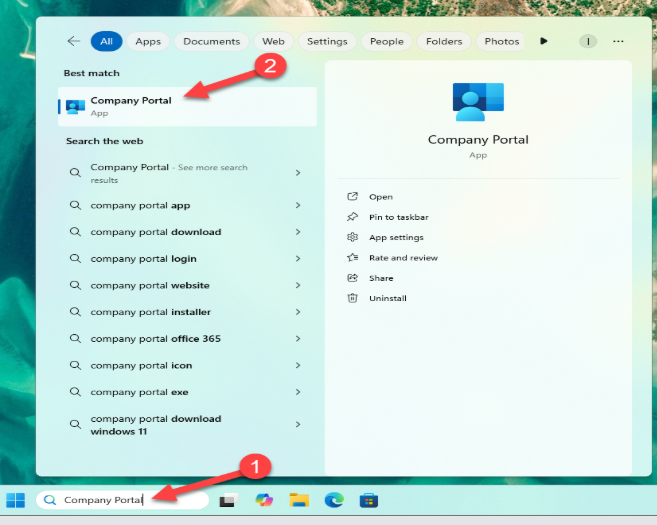
In the Search Bar, search for Company Portal, when you see it appear in the Menu, click on it.
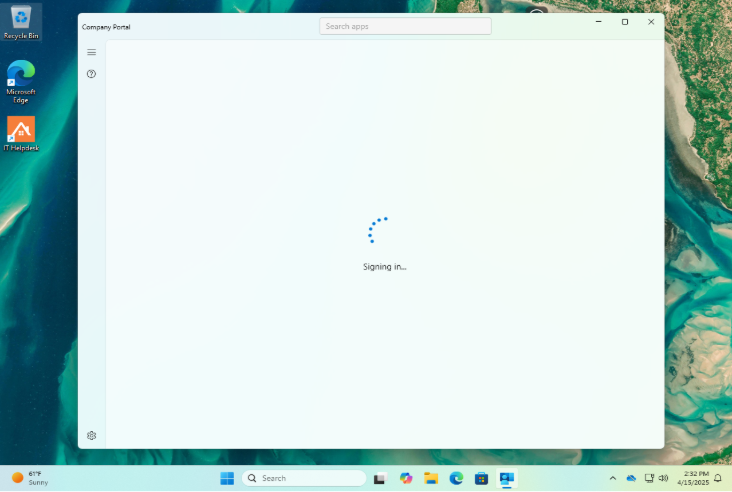
Company Portal will start loading and signing you in.
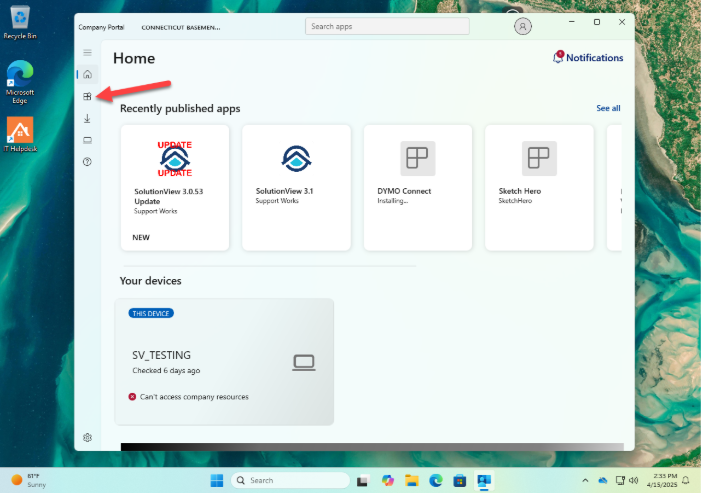
Once signed in, click on the Apps icon.
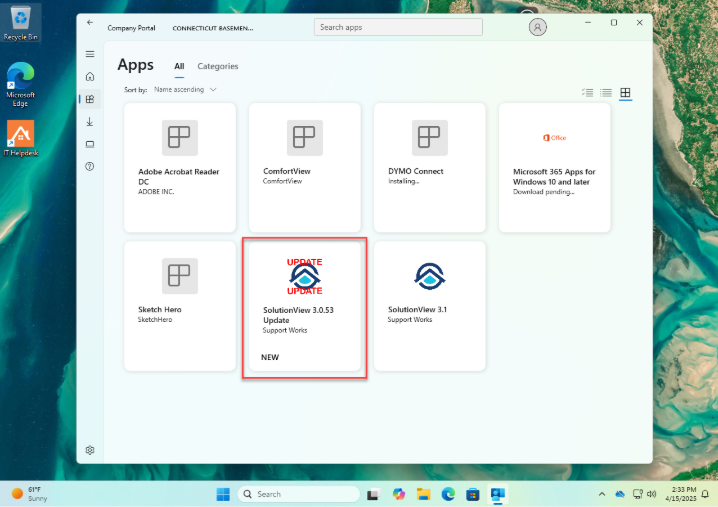
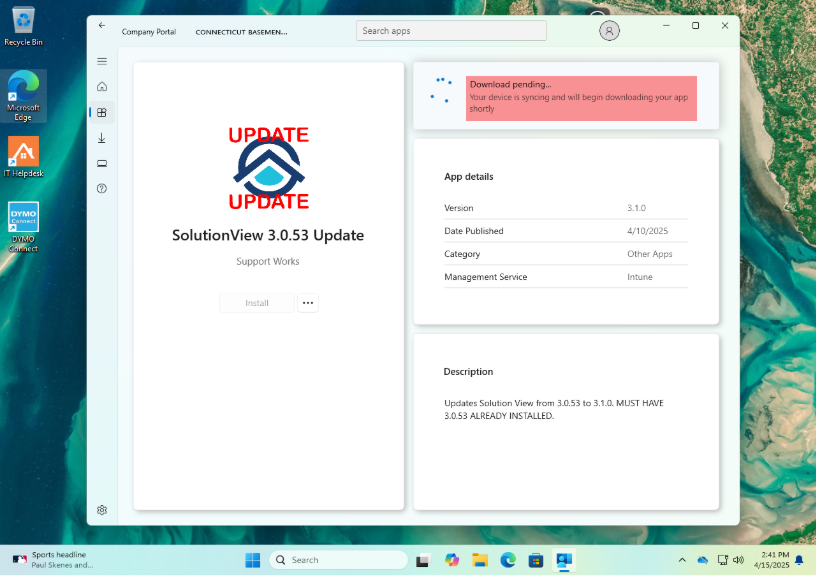
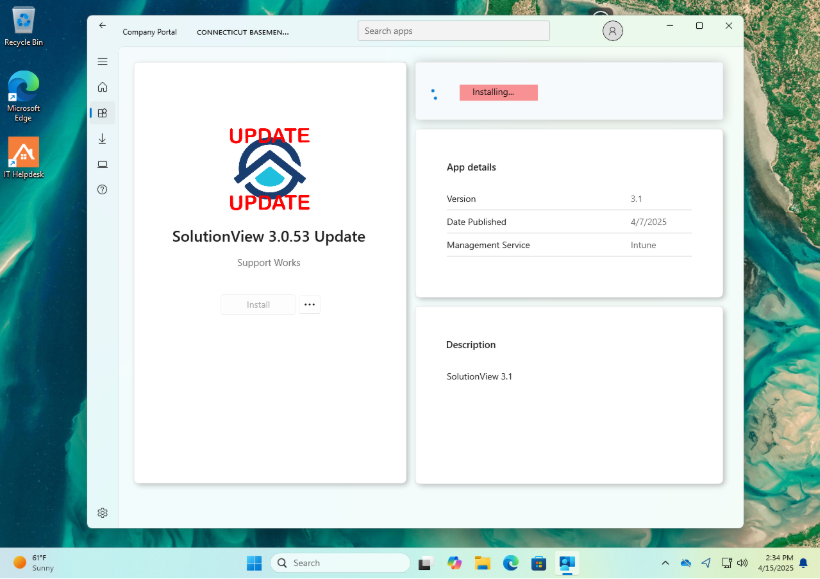
Click on SolutionView 3.0.53 update. NOTE: If you have a version older than 3.0.53, this version will not work! Skip to step 6.
You will see Download Pending, then it will change to installing.
NOTE: The install speed will vary depending on your Internet speed. The average is less than an hour.
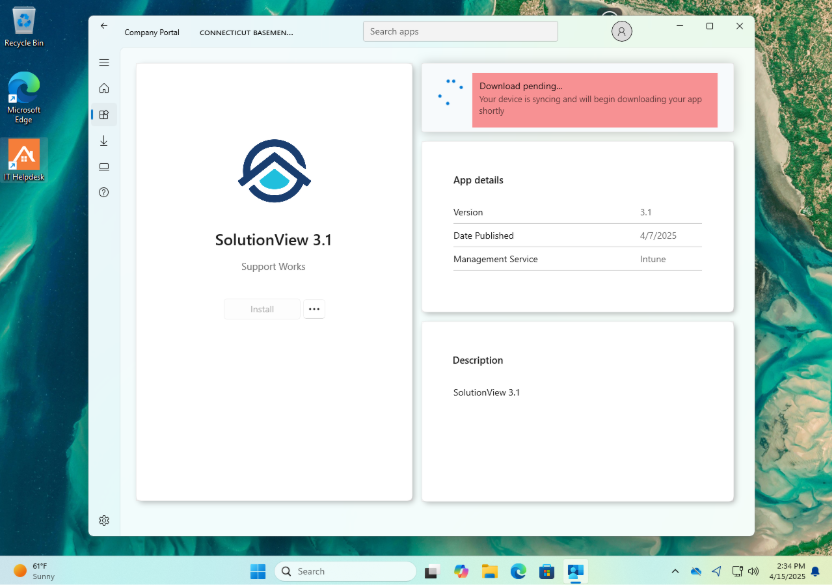
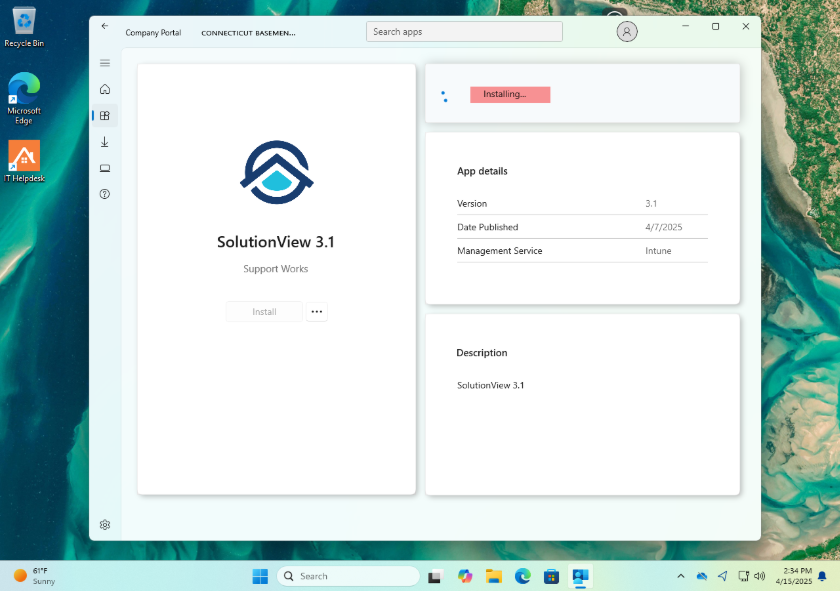
Click on SolutionView 3.1.
You will see Download Pending, then it will change to installing.
NOTE: The install speed will vary depending on your Internet speed. The average is that it will take at least an hour to finish.